Quick Forms
Quick forms are an efficient solution for users who need to input or update data quickly, without having to go through a lengthy form-filling process. This is especially useful for frequent or simple data entry tasks that don't require a lot of detail. However, it's important to make sure that the quick form still captures all the necessary information and adheres to proper validation rules to ensure the accuracy and consistency of the system. By using a quick form, users can save time and streamline their workflow, but it's important to strike a balance between convenience and thoroughness.
Some Example:
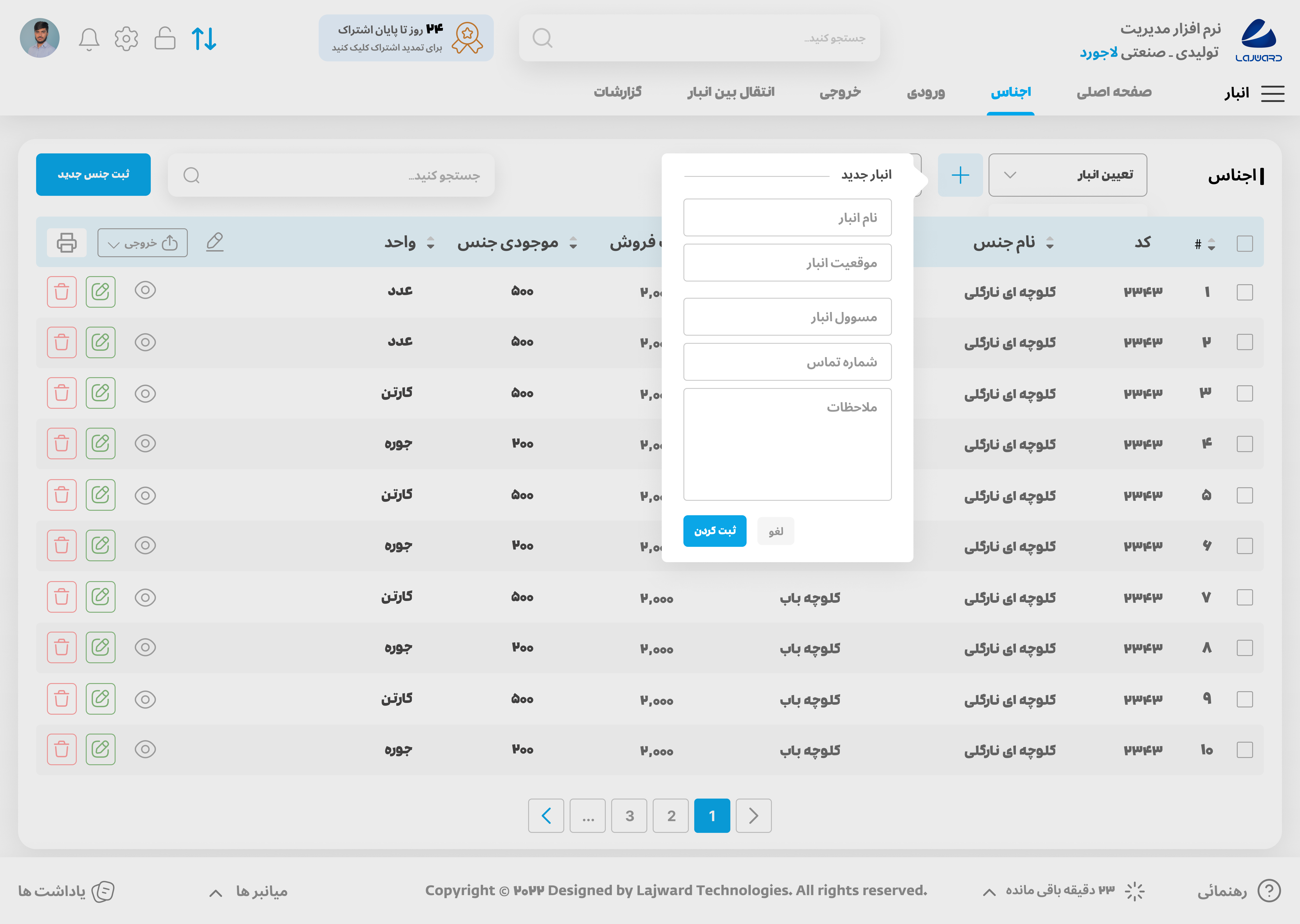
In this particular example, a quick form has been utilized to minimize the effort required for users to fill in 4 or 5 inputs and perform a specific operation. By presenting a quick form, users can quickly and easily accomplish their tasks without having to navigate through a lengthy process. This feature is especially useful for simple and frequently performed tasks, and helps streamline the user experience.
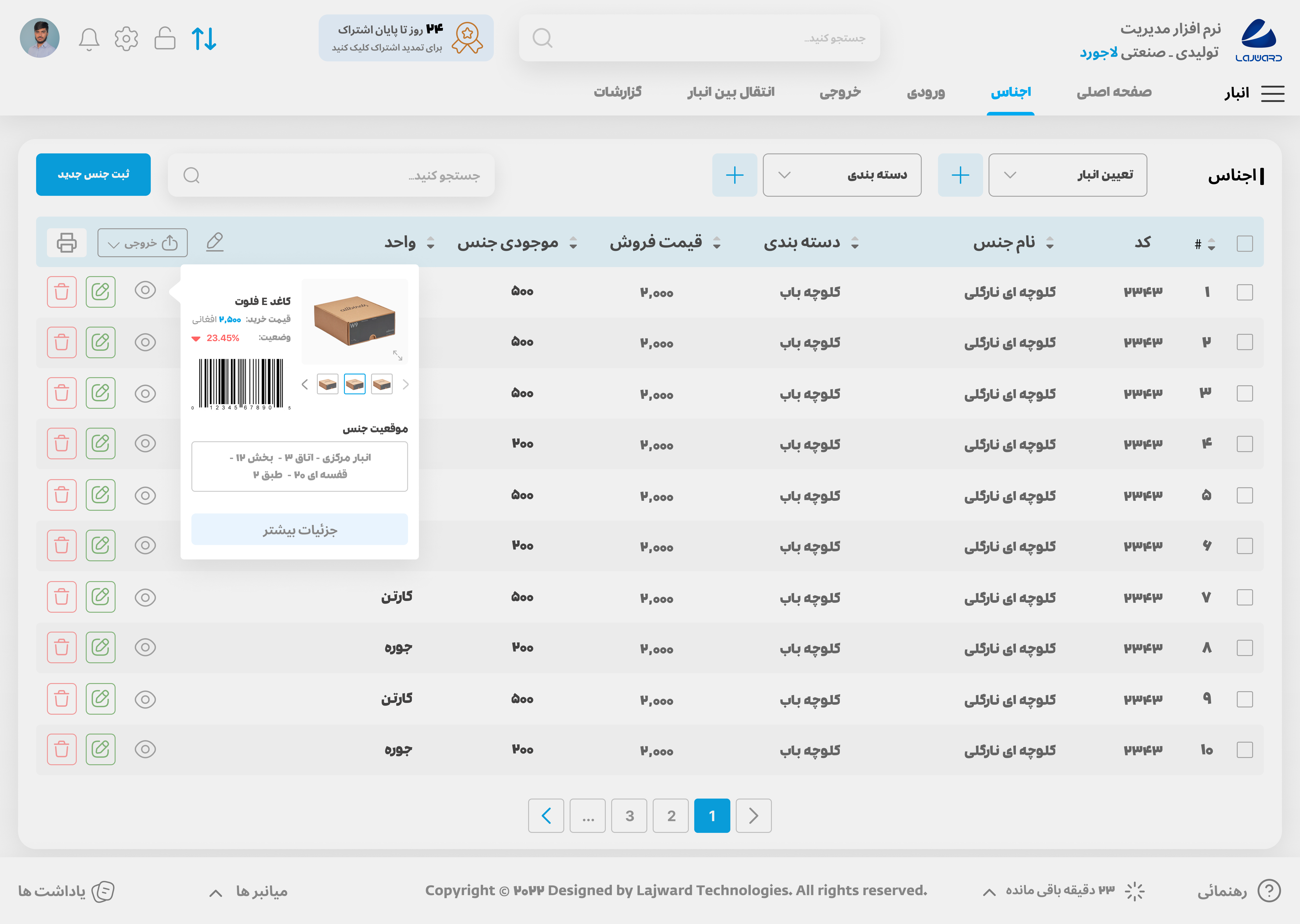
The quick form in this example efficiently presents concise yet relevant information to the user, eliminating the need for them to navigate through a long process to access relatively basic data.
Rules:
Quick forms should be opened in the form of a pop-up to minimize the disruption to the user's workflow.
Forms should have an appealing style that distinguishes them from other elements on the page, Like the picture below
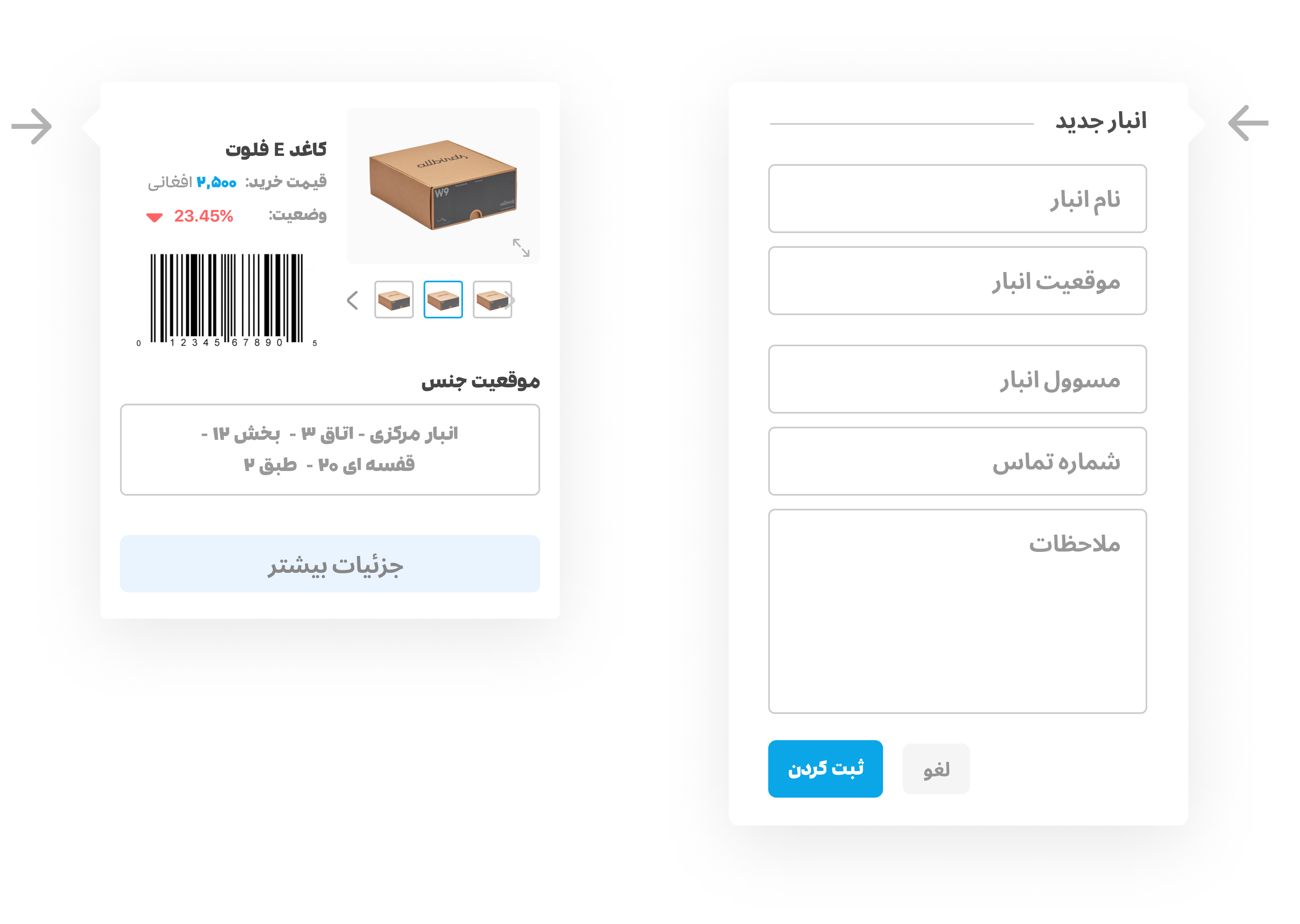
Quick forms should contain essential information that's pertinent to the task being performed. For instance, in the case of a product quick form, it might include details such as the product name, purchase price, product image, barcode, and location. Including such relevant details can help streamline the task and make it easier for users to complete it quickly and accurately
To avoid overwhelming the user with too many inputs, the maximum number of fields in a quick form should be limited to 8 or fewer.