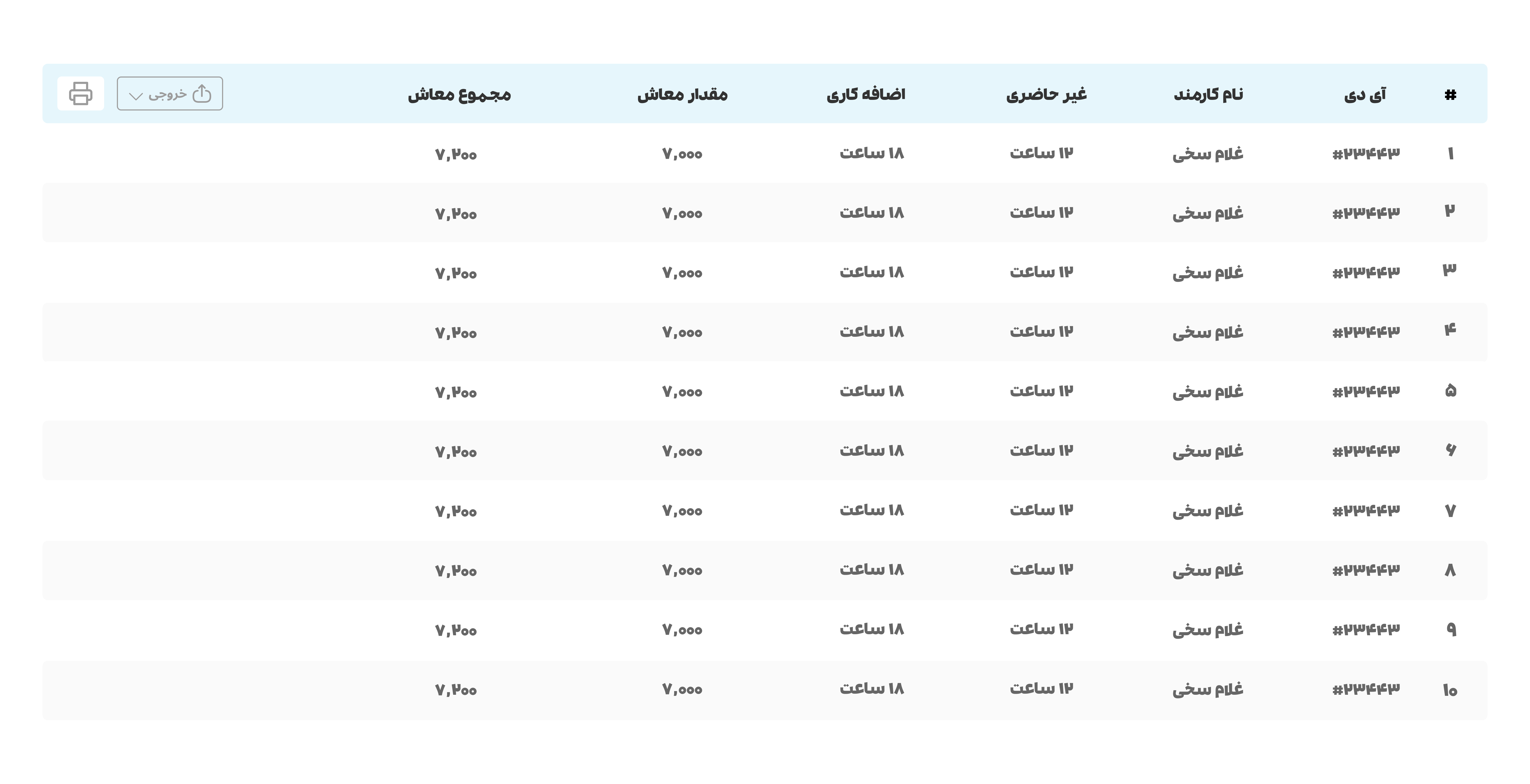
Tables:
If you have a diverse list of items, using tables can help you to neatly categorize them according to their respective elements. It is important to note that the interface must be aesthetically pleasing and the performance should be efficient, ensuring that the user does not experience any unnecessary strain or fatigue. This will ensure a seamless and enjoyable user experience.
Table Type:
In our system, we utilize the Zebra table, which is widely regarded as the best and most well-known type of table. Specifically, we have incorporated the TH table with a secondary color and TDs with a lightgray color, which alternate with white. This approach not only enhances the aesthetics of the table but also improves clarity and ease of understanding by distinguishing between different elements.
Size and Text:
The columns in our table have a fixed height of 56 pixels, but the width can be customized based on your preferences. and also each colum should have 5px border rediuse.
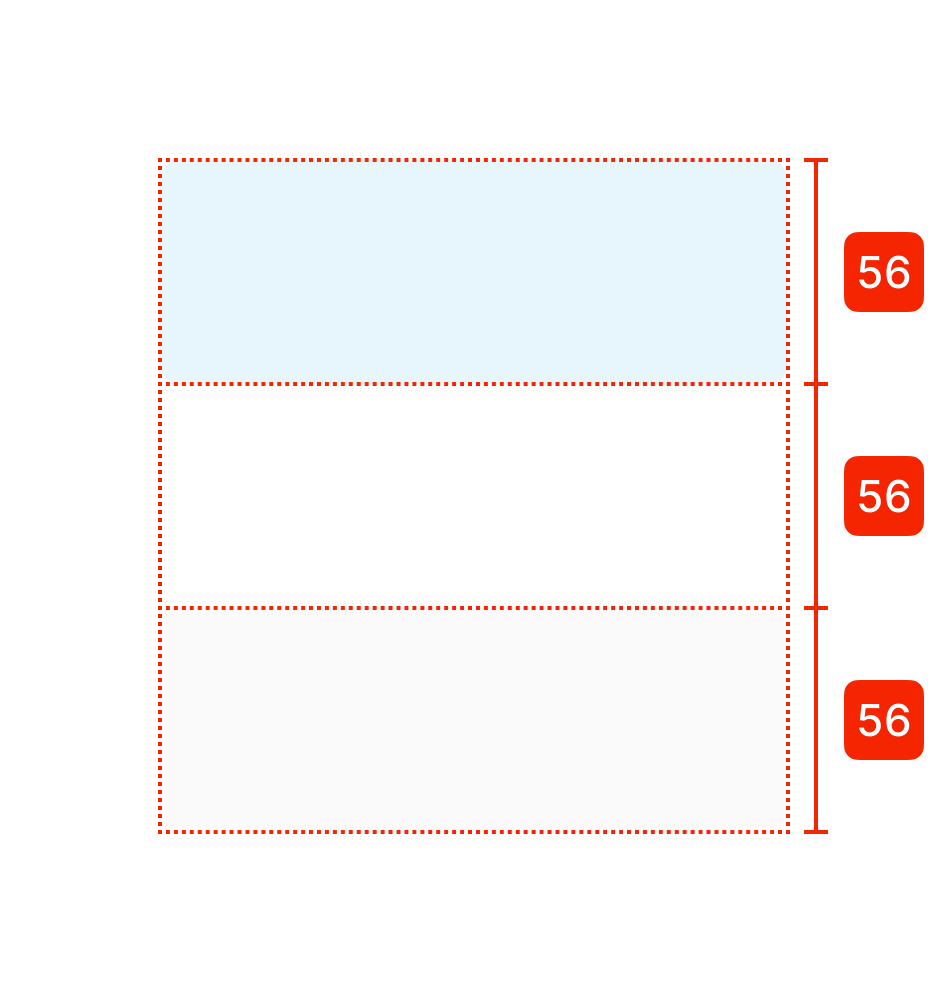
To ensure optimal readability and distinction between different elements, we recommend using a text color code of #333333 and font size of 16px for text within the TH, and a text color code of #666666 for text within the TD. It is also important to ensure that the text and columns are properly spaced out, avoiding overlap and excessive distance between them. This will help to maintain a clean and organized appearance while improving user readability.