Forms
Forms are an essential part of any system where user input is required. Whether it is for entering personal information or submitting a request, forms provide a structured and efficient way for users to interact with the system. At our system, we have designed forms to be department-specific, ensuring that users only enter the relevant information required for their specific task.
We understand that the user's time is valuable, and we have taken great care to design our forms to be as simple and user-friendly as possible. Our forms are easy to navigate, with clear and concise instructions that guide the user through the process. This allows users to quickly and effortlessly enter their information into the system, without any hassle or wasted time.
At our system, we believe that the user's experience is of utmost importance. That is why we have invested time and resources into designing forms that are both practical and aesthetically pleasing. We are confident that our forms will provide our users with an excellent experience and will make their interactions with the system as smooth and efficient as possible.
Correct use of forms:
The forms in our system are designed to make it easy and convenient for users to enter their information accurately and efficiently. We understand that forms can often be overwhelming, so we have taken extra care to make sure our forms are organized and visually appealing.
Instead of cluttering forms with numerous inputs, we have organized them in a logical manner, grouping related inputs together. This not only makes it easier for the user to find what they need but also prevents them from feeling overwhelmed by too many inputs on the screen.
For example, in our employee registration form, we have grouped personal information inputs together and have placed work-related inputs in a separate section. This approach allows the user's eyes to easily navigate through the form, and the inputs are neatly categorized for quick and easy access.
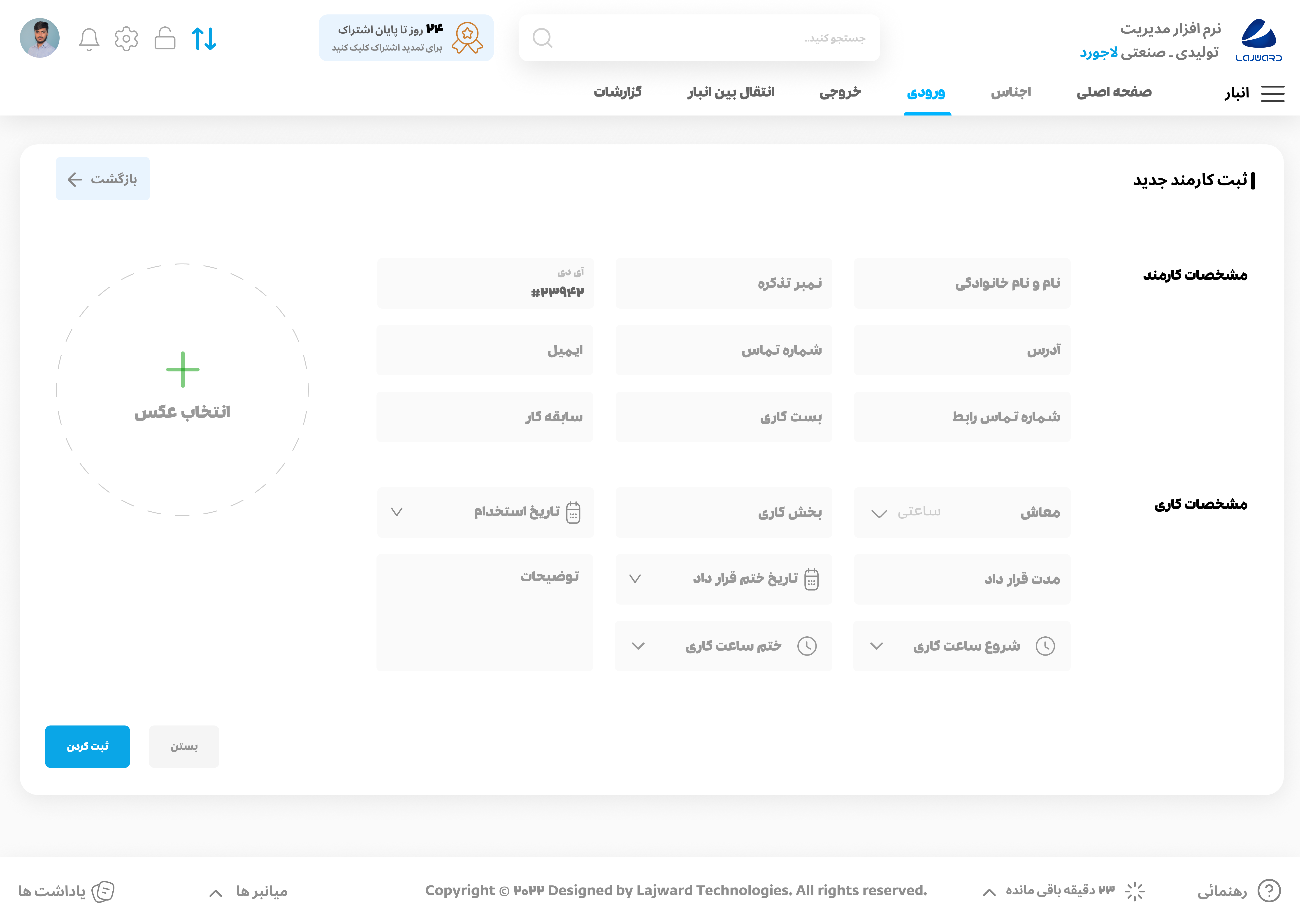
We believe that by designing our forms in this way, we can provide a better user experience and make it more efficient for users to input their information.
inputs:
The design of inputs in a form is an essential aspect of creating a user-friendly and attractive interface. Our system places great emphasis on creating visually appealing inputs that enhance the overall aesthetic of the form while remaining practical and efficient. By using a pleasing color, intuitive layouts, and easy-to-use features, our forms are not only beautiful but also effective in capturing the necessary information from the user. This attention to detail ensures that our forms not only look good but also provide an enjoyable and efficient user experience.
In order to create a visually appealing form, the design and color of the inputs are crucial. At our system, we understand this importance and have chosen a lightgray color for our inputs to provide a soft and pleasant look. By using a harmonious and elegant color scheme, we ensure that the user's eyes are not strained and the inputs are easy to read and fill out.
Moreover, we pay attention to the spacing between inputs and make sure that there is a minimum distance of 12px between each input, which enhances the readability and organization of the form. Our goal is to create a form that is both attractive and effective, making the data entry process a seamless and enjoyable experience for our users.
Dynamic table-rows:
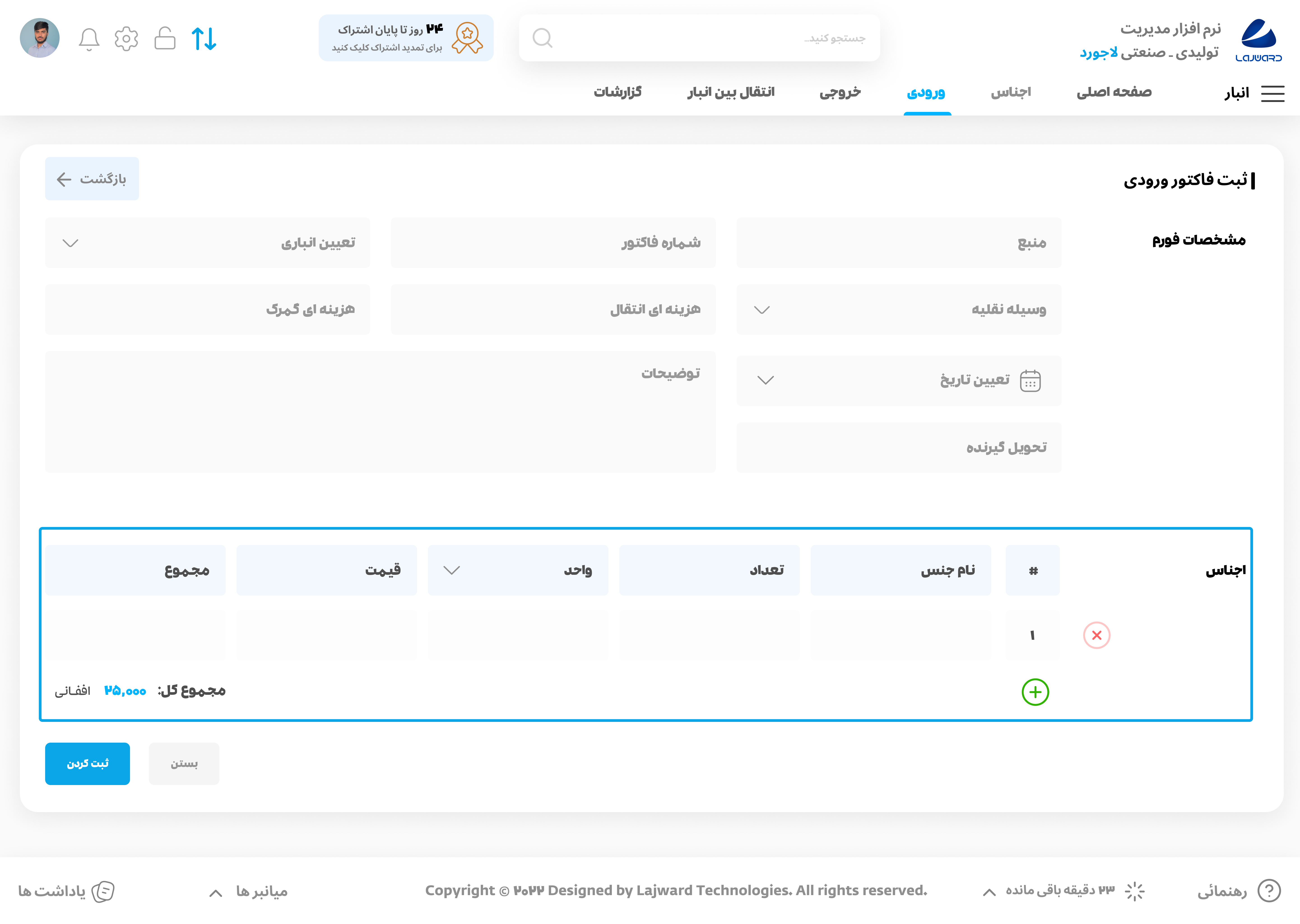
In certain forms, the user may have a significant amount of information to input that cannot be accommodated in a single row. To address this, we have implemented dynamic table-rows that enable the user to add as many rows as needed with just a click of a button. The Add icon allows for the insertion of new rows, while the Close icon enables the removal of rows. Please note that this feature is only available in select pages and not across the system. Dynamic table-rows can be utilized for a variety of purposes such as input and output sections in the warehouse, and other similar use cases. This feature not only simplifies the input process but also allows for a more organized and structured presentation of information